Simple Steps for Crafting a District AI Policy: How to share this infographic with school leaders

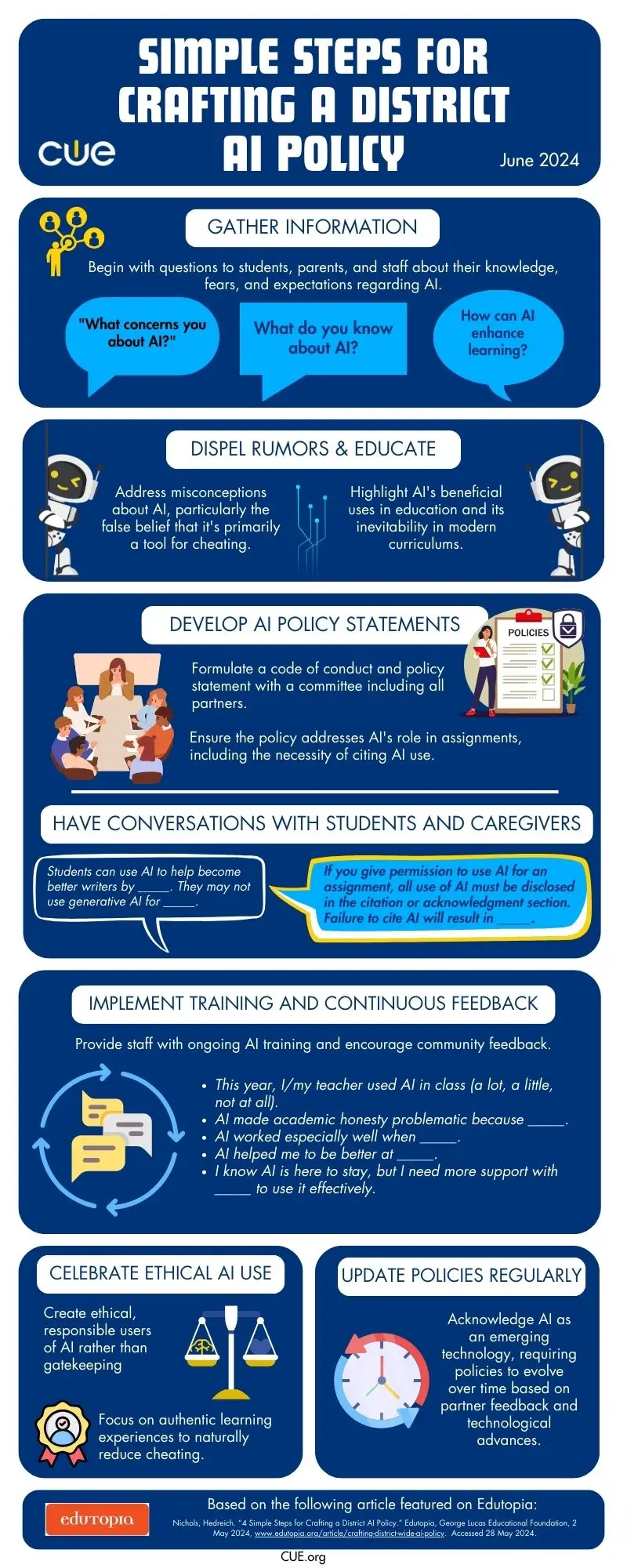
If you’ve been paying attention to how tech is transforming education this past year, you know AI is on the scene. It’s not just a buzzword anymore; it’s real, and it’s happening now. As exciting as it is, bringing AI into our schools isn’t just about flipping a switch. We need to be smart and strategic about it. Based on the Edutopia article, “4 Simple Steps for Crafting a District AI Policy,” this original CUE infographic includes tips covering everything from ethics to practical applications of AI.

Think about this infographic as a helpful conversation-starter to navigate the steps needed to develop policies in our AI world. It breaks down the complexities into manageable pieces, helping you and your leadership team understand concepts like data privacy, AI bias, and how to use these tools effectively. Feel empowered to discuss how AI has the potential to benefit everyone and align with your district’s mission and values. And feel free to remind your team that a strong and thoughtful policy will help avoid pitfalls like biased algorithms and security issues while promoting innovation.

So how can you get this information to the right people on your team? 

  • Distribute through Email: Email distribution can provide direct access to the infographic, allowing leaders to review and reflect on the content at their convenience. 

Here’s a sample AI Prompt for a related email that you can customize for your community:

  • You are an educator concerned about developing an AI policy for <your school district> but unable to draft the policy yourself. Compose an email to <your school leader> sharing an infographic that discusses simple steps to crafting a district AI policy. The email is the beginning of a conversation, so make sure the tone is <friendly, approachable, and action-oriented.> Offer to assist in the policy development and explain that you’re willing to meet to discuss this further.
  • Print Copies and Hand Them Out: Hand out printed copies of the infographic to your peers or drop it into their mailboxes. Having a printed copy of the resource on your desk can actually serve as a reminder to follow up about it and learn more.
  • Share at a Staff Meetings: Share the infographic during leadership meetings, weekly staff meetings, and professional development workshops. This opens up the floor for discussions and helps turn these ideas into action plans.

Get inspiration from these discussion stems and make them you own:

  • “A big takeaway from this infographic is how we need to think about ethical concerns, like…”
  • “To keep our district on the cutting edge with AI, we can use the tips in this infographic by…”
  • “Using the insights from this infographic in our plans, we can really boost our teaching methods by…”
  • “One key point is how we can use AI to better support our students’ learning needs, such as…”
  • “The infographic highlights the importance of involving caregivers in the AI policy process by…”

Discuss at a Personal Meeting: Make an appointment with your school leader/s and offer the infographic in advance. Making sure you both come to the meeting aware of the topic and the resource being shared increases confidence and creates a more comfortable starting place for discussion.

Find Someone to Share it on Your Behalf: Not in a position to meet with the school leaders who need this information? Seek out someone who can present it to the leadership team for you. Connecting with thought partners and advocates is a crucial step in building capacity.

You are already dialed into this important conversation by simply exploring this infographic. Now, you’re ready to spread this resource through multiple channels. Make sure you’ve done your part to ensure that everyone is prepared to use AI in a way that’s ethical, effective, and ultimately awesome for our students.

Secure Your Communication: Cybersecurity Tips for Educators

June is National Internet Safety Month

As your schedule becomes more personalized and less tethered to your school or home internet networks, it’s a good idea to take a moment and review some best practices when it comes to keeping you and your communication safe and secure. Ensuring email security is crucial to protect student information and maintain trust within the educational community. It’s also just as important to understand the basic concepts of cybersecurity. 

Here are some essential security tips and resources for educators to consider and explore as you launch into summer vacation.

CALIE
CALIE

1. Create Strong, Unique Passwords

A strong password is your first line of defense against unauthorized access. Use a combination of upper and lower case letters, numbers, and special characters. Avoid using easily guessable information, such as birthdays or common words. Consider using a password manager to generate and store unique passwords for each account securely.

PRO TIP: Use tools like www.random.org’s Random Password Generator to help keep your passwords fresh and safe. 

2. Recognize Phishing Attempts

Phishing emails attempt to trick you into revealing personal information or clicking on malicious links. Be wary of emails from unknown senders or those that create a sense of urgency. Look for red flags such as poor grammar, suspicious attachments, or links that don’t match the sender’s domain. If in doubt, verify the email’s legitimacy by contacting the sender directly through a trusted communication channel.

PRO TIP: Try your hand at practicing to identify phishing attempts through the Google Phishing Quiz powered by Jigsaw.

CALIE

3. Understand Cybersecurity and Have Fun Doing It

Cybersecurity is crucial for all users and educators in 2024 because the increasing reliance on digital tools and online platforms makes us more vulnerable to cyber threats. Protecting sensitive information, such as student data and personal details, is essential to maintain trust and privacy. Additionally, understanding cybersecurity helps educators create a safe learning environment and empowers students to navigate the digital world securely.

PRO TIP: Understand cybersecurity by playing Cyber Awareness Challenge by the US Department of Defense. This engaging, interactive game helps you navigate various scenarios, including email safety, ensuring you learn vital cybersecurity skills in an enjoyable and memorable way. 

During National Internet Safety Month, remember to take the lead and help safeguard your communication and protect the sensitive student information you handle daily. Prioritizing cybersecurity not only protects you but also fosters a safe and trustworthy educational environment for everyone involved.

Creating Classrooms That Shine with Student-Centered Learning Strategies

Creating a vibrant, student-centered learning environment is a transformative journey filled with excitement and possibility. As we consider how our learning spaces will welcome our learners back to school, let’s embrace the opportunity to reimagine our classrooms with strategies that celebrate and amplify student voice and choice while supporting each unique learner. This Edutopia video, “How to Set Up a Learner-Centered Classroom,” provides practical tips and real-world examples to help you visualize and actualize your ideas. It’s not just about setting up a space; it’s about cultivating a dynamic community where every student feels supported and inspired.

Collaborative Classroom Design

Another innovative strategy is setting up a Calming or Peace Corner—a designated space for students to retreat and self-regulate when they feel overwhelmed. This is also referred to as a Calm Corner, Reflection Station, or Mindfulness Area. Whatever you call it, make sure that this area is a positive, reflective space rather than a punitive one, allowing students to recharge and return to learning with a clear mind.  Read about Incorporating a Calming Corner Into Station Rotations for dozens of ideas to get you started. Bridging Apps even has a list of helpful apps for students to help them regulate and calm down for early elementary, upper elementary, middle school, and high school.

CALIE

Developing a Social Contract

Building a classroom community starts with establishing clear expectations. Instead of imposing rules, work with your students to create a social contract or a set of norms. This process gives them a sense of ownership and accountability. Once the contract is agreed upon and signed off by your students, display it prominently in the classroom as a constant reminder of their shared commitments.

Creating a Calming Corner

Another innovative strategy is setting up a Calming or Peace Corner—a designated space for students to retreat and self-regulate when they feel overwhelmed. This is also referred to as a Calm Corner, Reflection Station, or Mindfulness Area. Whatever you call it, make sure that this area is a positive, reflective space rather than a punitive one, allowing students to recharge and return to learning with a clear mind.  Read about Incorporating a Calming Corner Into Station Rotations for dozens of ideas to get you started. Bridging Apps even has a list of helpful apps for students to help them regulate and calm down for early elementary, upper elementary, middle school, and high school.

Routine Discussions and Active Listening

Integrating daily routines for open discussions can significantly enhance student engagement. Morning meetings, for example, provide a structured opportunity for every Two young students happily engaged in reading together, fostering a learner-centered classroom environment student to voice their thoughts and listen to others. For older students, Socratic Circles can foster deeper conversations and respectful debate, promoting critical thinking and empathy.

CALIE

Empowering Student Voices

Above all, empowering student voices and supporting every student is key to a thriving classroom environment. Sharing the floor with students and encouraging open dialogue helps them feel heard and respected. Whether you plan for this time or allow it to happen organically, we can all benefit from putting energy toward hosting discussion spaces rather than leading them. This approach not only builds their confidence but also strengthens the classroom community.

Implementing these practices can transform your classroom into a dynamic and supportive space where every student thrives. Let’s embark on this journey together, creating classrooms that are not just places of learning, but communities where joy, creativity, and connection flourish.

Beyond the Ice Breaker – 3 Innovative Back-to-School Activities to Build Classroom Community

As the new school year kicks off, we often default to launching Day 1 with traditional ice-breakers that welcome our learners back. While these are valuable and fun, one has to wonder: Could we incorporate getting-to-know-you activities that help us meet our learners in creative and imaginative ways? And can these activities play a part in the larger community-building efforts we have in place?

Here are three engaging activities that go beyond the standard icebreaker, designed to activate TK-12 student interest and foster a vibrant classroom community with both tech-infused and unplugged ideas! 

1. “Getting to Know You” with Adobe Express

Invite students to create a digital story about their 2024-2025 goals and interests using the “All About Me” Template inside Adobe Express. This activity not only invites learners to reflect on their experiences but also hones their digital literacy skills. Encourage them to mix photos, videos, and text to craft a narrative that’s uniquely theirs. By sharing these stories, students will not only learn more about each other but also begin to see the power of creativity in storytelling.

2. Collaborative Game Design with Genially

Transform your classroom into a digital game design studio for a day or two. Group students together and challenge them to design a digital board game that represents their ideal school year, topics they are passionate about right now, or current events that inspire powerful classroom conversation. Genially provides them with basic digital designs as they brainstorm game mechanics, rules, and themes. This activity fosters collaboration, creativity, and strategic thinking. Plus, it offers a playful way to discuss expectations, culture, and goals for the year.

3. Classroom Culture with an Unplugged Canvas

Using large sheets of paper, have students co-create a “Classroom Culture Canvas.” This is a visual representation of what they want their classroom community to be like. Students can add words, symbols, drawings, or photos that represent respect, creativity, inclusivity, and fun. This collaborative vision board not only builds a sense of ownership but also sets the tone for a positive and connected classroom environment.

These activities go beyond traditional ice-breakers, which can often cause anxiety and stress. Instead, they offer meaningful ways to build community and connection from the start. By fostering a welcoming and creative environment, you’re setting the stage for a year of growth, collaboration, and authentic learning experiences. Let’s make this school year the most supportive and engaging yet!

Ready to transform your classroom into a hub of creativity and connection? Don’t settle for the usual icebreakers—ignite your students’ curiosity and build a vibrant community from day one! Whether it’s crafting digital stories, designing collaborative games, or creating a shared vision for your classroom culture, these activities are designed to engage, inspire, and empower your students. Join the conversation—what innovative community-building strategies are you excited to try this year?

Support Students’ Mental Health During National Suicide Prevention Month

As educators, we are in a unique position to shape the way our students engage with the world, both physically and digitally. September is National Suicide Prevention Month, and it serves as a powerful reminder to prioritize conversations about mental health, particularly when it comes to our students’ digital lives. The online world is where many kids live out significant portions of their day, from social media to gaming, and we, in partnership with parents and guardians, have a responsibility to help them navigate it safely.

One of the most impactful things we can do is talk to our students about how their digital life affects their mental health. Whether it’s the pressures of social media or the isolation that can come from too much screen time, digital experiences play a huge role in how students feel and process the world around them. We must create safe spaces in our classrooms for students to share their experiences, feelings, and concerns about their online interactions.

National Suicide Prevention Month is a critical time to highlight the resources available, like these Resources for Students and Educators from the National Institute of Mental Health, that help teachers understand mental health challenges and give students the tools they need to cope with big feelings like stress and sadness. Resources like the “Jane the Brain” video series, an interactive Kahoot! Quiz for teen depression, and coloring books can make mental health education more accessible and engaging for students.

Our role as educators extends beyond academic content. By opening up discussions about the intersections between mental health and digital life, we can empower students to manage stress, build resilience, and seek help when needed. This month, let’s commit to those conversations—let’s inspire students to take care of their mental well-being, online and offline.

Leading the Way: Media Literacy for EdTech Leaders

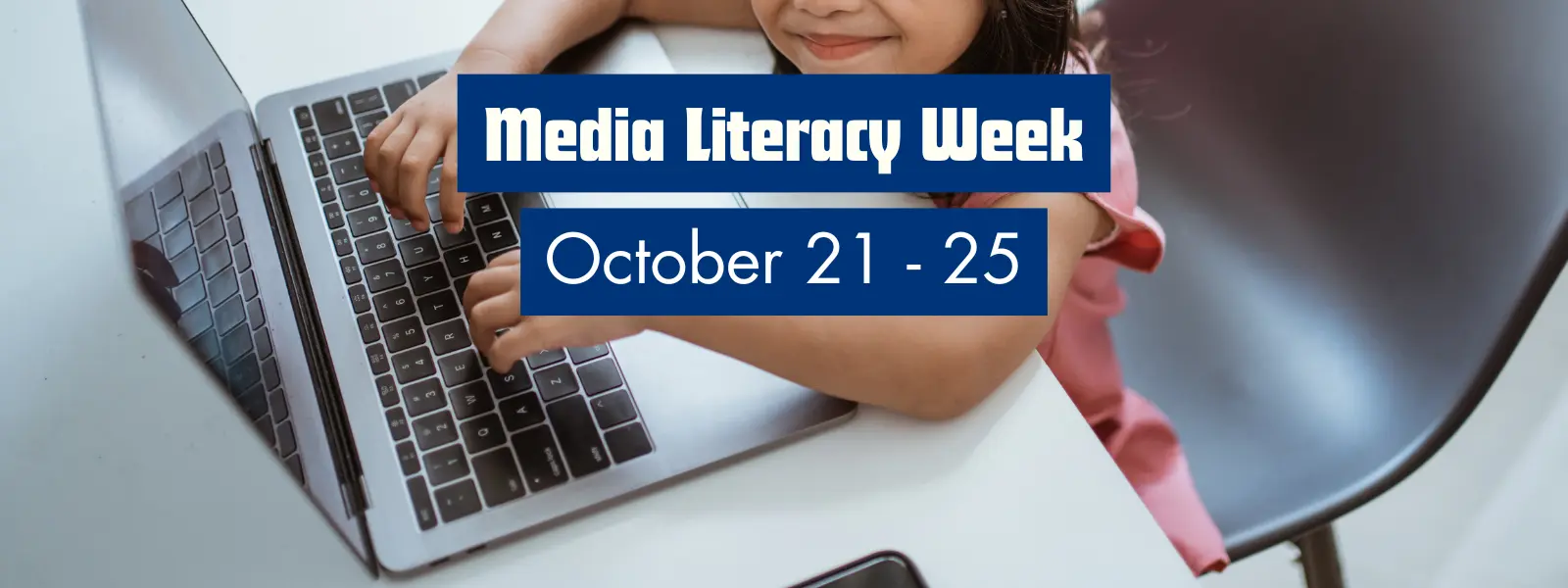
Join us for the 10th Annual U.S. Media Literacy Week, hosted by NAMLE (National Association for Media Literacy Education) from October 21-25! As tech leaders in your schools and districts, you already understand the importance of integrating innovative tools into your teaching. Media literacy is a crucial component of preparing students to critically analyze information and navigate the digital landscape with confidence.

Here’s how you can enhance your edtech practices and make media literacy a powerful tool in your classroom:

NAMLE (National Association for Media Literacy Education)

  • What It Offers: NAMLE, the official host of Media Literacy Week, provides an array of resources, including videos, webinars, and toolkits, all designed to help teachers incorporate media literacy into their lessons. They also host the Media Literacy Resource Showcase during the week, where educators can explore the latest tools and strategies for teaching these critical skills.
  • Free Teacher Accounts: No account is necessary, and many of NAMLE’s resources, webinars, and events are freely accessible on their website.
  • Why It’s Great for Innovators: NAMLE’s comprehensive materials support you in staying ahead of the curve, offering cutting-edge strategies and resources to integrate media literacy seamlessly into your technology-rich classroom.

AllSides for Schools

  • What It Offers: AllSides for Schools provides a Media Bias Chart and curated news stories from across the political spectrum, helping students compare diverse perspectives on the same issue. This resource can be easily integrated into your existing digital curriculum to promote critical thinking and nuanced discussion in the classroom.
  • Free Teacher Accounts: Yes, AllSides offers free teacher accounts, giving you access to lesson plans, discussion guides, and a range of interactive media bias tools.
  • Why It’s Great for Innovators: You can use AllSides to create interactive lessons where students analyze bias using digital tools, enhancing their media literacy skills while promoting digital age thinking.

Checkology by the News Literacy Project

  • What It Offers: Checkology is an interactive platform that guides students through real-world scenarios to teach them how to recognize misinformation, evaluate sources, and understand the role of the media in a democracy. It’s an ideal resource for tech leaders who want to add more immersive, student-led learning experiences to their classroom.
  • Free Teacher Accounts: Yes, Checkology offers free accounts with access to most of its core media literacy lessons.
  • Why It’s Great for Innovators: Checkology’s gamified learning modules allow students to engage in simulations where they become media detectives, building crucial literacy skills while leveraging your classroom’s technology tools.

How This Supports Your Innovative Teaching Practices:

  • AllSides For Schools and Checkology both integrate seamlessly with the digital tools and learning management systems you’re already using, enabling you to enhance student engagement and create dynamic, interactive lessons.
  • By incorporating these media literacy tools, you’ll empower students to become critical thinkers and responsible digital citizens, preparing them for the challenges of a tech-driven world.
  • These resources promote student-centered learning, allowing you to facilitate discussions that foster a deeper understanding of the digital media landscape.

ISTE DigCit Competencies

In today’s digital world, every school needs a robust digital citizenship program to ensure students are safe, responsible, and proactive online. The ISTE Digital Citizenship Competencies are a great starting point, shifting the focus from what students shouldn’t do to empowering them with the skills and mindset to become thoughtful, empathetic digital citizens. By incorporating these competencies alongside media literacy tools like AllSides and Checkology, educators can create a holistic approach to teaching students how to navigate, evaluate, and contribute to the digital world. Explore ISTE’s comprehensive resources here.

Leverage these powerful tools during Media Literacy Week to inspire students to critically engage with the world around them while furthering your innovative teaching practices. Let’s continue to lead the way in digital education this October!

Federal STEM Plan: A Call to Action for California Educators

The newly released Federal Strategic Plan for Advancing STEM Education and Cultivating STEM Talent is a powerful roadmap for strengthening science, technology, engineering, and math (STEM) across the nation. This five-year plan emphasizes the importance of collaboration, accessibility, and innovation, providing a framework that educators, administrators, and leaders can act on to prepare students for the opportunities of the future.

For California educators and teacher leaders, this plan directly aligns with the ongoing work to close opportunity gaps, engage students in STEM-rich experiences, and equip schools to prepare students for thriving in a rapidly changing world. At CUE, we see this as a pivotal moment to reflect on our shared goals and align our strategies to this national vision.

5 Key Takeaways for Educators

1. Engage Students and Communities in STEM

  • The plan emphasizes the need to inspire learners of all ages by connecting STEM to real-world applications and fostering a sense of belonging.
  • Take Action: Host STEM nights, integrate community-driven projects, or engage students in media creation and storytelling using STEM tools.

2. Strengthen STEM Teaching and Learning

  • Addressing disparities in STEM education is critical. Building a diverse and well-prepared STEM teacher workforce is central to this goal.
  • Take Action: Advocate for and participate in professional development opportunities focusing on inclusive practices, AI literacy, and emerging technologies.

3. Prepare the Future Workforce

  • Cultivating a robust STEM talent pipeline ensures students are equipped for careers in high-demand fields like data science, sustainable engineering, and cybersecurity.
  • Take Action: Introduce career exploration activities, connect students with mentors in STEM fields, and integrate career-aligned STEM pathways into curricula.

4. Expand STEM Research and Innovation

  • Cutting-edge STEM education research and innovation are essential to staying competitive. California’s schools and teacher leaders can drive local solutions to national challenges.
  • Take Action: Collaborate with universities or organizations to implement and evaluate new instructional strategies and share your findings.

5. Foster Inclusive and Supportive STEM Environments

  • Removing barriers to participation and retention in STEM is essential for ensuring equity.
  • Take Action: Implement Universal Design for Learning (UDL) principles, support underrepresented students in STEM programs, and advocate for policies that enhance accessibility.

Why This Matters for California Educators

The federal STEM plan recognizes the diversity of learners and communities across the U.S. and the need for inclusive, localized solutions. California’s educators are uniquely positioned to lead the way in implementing these strategies, thanks to the state’s rich diversity, innovative spirit, and strong commitment to equity in education. With a focus on preparing students for AI, clean energy, and other emergent fields, California can set a national example.

Let’s Get to Work

The Federal Strategic Plan is more than a document—it’s a call to action for all of us in education. We would love to see how you are taking any of these actions or if you have any other ideas for advancing STEM education and cultivating STEM talent.

Please share your thoughts in the comments!