Why 2026 Needs to Be the Year of Student AI Literacy

ChatGPT dropped in November 2022. Schools met. Schools wrote policies. Schools debated bans. Students did not wait.

While leadership hoped teachers would get comfortable with the technology, kids quietly started using AI on their own. Just like social media, they used it without discretion. It became part of their lives before it became part of our lesson plans.

Now, AI is no longer a destination website you have to navigate to intentionally. It’s baked into phones, Google Docs, social media feeds, and search bars. We can no longer wait for professional development while technology becomes unavoidable.

Bans Don’t Build Judgment

In most schools, teachers mainly noticed the cheating. So the response was predictable: ban it, block it, police it.

But AI literacy does not equate to a ban. It belongs in a lesson plan.

If students are already using AI outside school, a ban just guarantees they’ll use it without guidance. And bans create a hidden equity gap. Students with tech-savvy parents and paid subscriptions will learn to use AI as a powerful tutor at home, while students without those resources fall further behind.

We need to stop asking “How do we keep them from using it?” and start asking: “How do we teach them to question it, verify it, and think with it instead of letting it think for them?”

“You’re not just giving kids a tool. You’re getting a window into their minds.”

What This Actually Looks Like in a Classroom

AI literacy is not handing every kid a ChatGPT account and calling it innovation.

The better move is teaching AI literacy through guided moments within real learning, with guardrails. Platforms like SchoolAI, Brisk, or Flint let teachers build guardrail experiences where students get instant feedback, practice evaluating outputs, and strengthen their reasoning — without replacing teaching.

Here’s a concrete example. Your class is studying the pyramids of Giza. A teacher builds a focused chatbot that only discusses that unit’s content. Students can explore in any direction, but within a safe boundary. And while they’re asking questions, you’re seeing their questions — what they’re curious about, what they misunderstand, who’s going deeper, and who’s stuck.

That data helps fuel your next instructional moves.

A Simple Sequence Any Grade Can Run

You don’t need a new course. You need repeatable habits woven into real assignments.

Start by having students evaluate an AI-generated response connected to current content. What looks accurate? What feels vague? Whose perspective might be missing? Then teach them to improve their prompts — not to get the answer, but to deepen thinking.

Build verification as a default: pick one claim, find a trusted source, confirm or contradict it. Then have students reflect on what they accepted, what they rejected, and why.

Replicate that in small bursts throughout the year. Tie it to real content. Make it normal. That’s how literacy is built — not with a one-time assembly or a policy PDF, but with routines.

I’ve been teaching since 1996. This moment isn’t about moving faster. It’s about moving intentionally.

If we do this well, we don’t just reduce cheating; we also improve learning. We increase thinking, gain better insight into students’ understanding, and build safer habits before bad ones take root.

If you want to go deeper on using AI safely and intentionally with kids, I’ll be giving a keynote on just this at Spring CUE powered by CALIE next month. Hope to see you there.

Holly Clark is a California educator who works with schools around the globe on their intentional use of AI. You can follow her story on social media at @HollyClarkEdu (Instagram and Linkedin) and on The Digital Learning Podcast or by reading the AI Infused Classroom.

Introducing CALIE Live Labs: Where Educators Learn, Build, and Belong

What if professional learning was the best part of your month?

Not another sit-and-get.
Not another tool you know about but don’t quite use.
Not another lonely attempt at innovation after hours.

That’s the idea behind CALIE Live Labs, a new professional learning series built around collaboration, creation, and community.

Live Labs is designed for educators who want to learn with others, not in isolation. Each session brings together educators to explore practical challenges, experiment with solutions, and create meaningful resources they can use in their classrooms and schools.

What Makes Live Labs Different?

Live Labs are about solving instructional and leadership challenges alongside peers who get it. Every month focuses on one classroom-based problem and follows a simple, supportive rhythm: learn together, create something real, and share what you’ve built with a trusted community.

This is professional learning that values your time, your expertise, and your creativity.

If you’ve ever felt frustrated by:

  • Professional development that doesn’t translate into practice
  • Knowing tools exist but lacking confidence to use them
  • Innovating alone without feedback or support
  • Learning experiences disconnected from your classroom or campus

Live Labs was built with you in mind.

The Live Labs Learning Loop

Live Labs follow a simple two-week learning loop where educators learn a practical skill, create and test an artifact in their own context, then return to share work, exchange feedback, and learn from one another.

2026 Live Labs Schedule

March–October 2026 1st and 4th Tuesdays | 4:00–4:45 PM PST

Each month includes two sessions, allowing time to try, reflect, and refine.

Try Live Labs on Us! The first Live Labs session is free for all educators.

Pricing and Participation

  • All sessions are FREE for CALIE members
  • $35 per session for non-members

You won’t just attend—you’ll contribute, collaborate, and be recognized for your work.

Why Live Labs Matter

Live Labs represents a shift in how professional learning can feel: energizing instead of draining, collaborative instead of isolating, practical instead of theoretical. 

If you’re ready to learn, create, and collaborate with educators who believe professional growth should be community-driven, CALIE Live Labs is for you.

We can’t wait to build alongside you.

Frequently Asked Questions

How does the Live Labs learning loop work?

Each Live Lab follows a two-week learning loop: a short, focused live session to learn a practical strategy, time to apply and adapt it in your own context, and a follow-up session to share work, exchange feedback, and learn from peers.

Why do Live Labs utilize the Learning Loop format?

New learning has a higher likelihood of becoming a permanent part of an educator’s practice when they can practice and iterate. Live Labs moves away from the one-and-done format to truly incorporate collective efficacy with colleagues and just-in-time reflection on the implementation process.

What will I leave with after a Live Lab?

You’ll leave with a usable artifact you created yourself—something ready to use or adapt in your classroom, school, or role, along with ideas and examples from other educators.

Do I need prior experience with specific tools or technologies?

No. Live Labs are designed to be accessible for all educators, regardless of prior experience. Support, examples, and multiple entry points are built in so you can engage at a level that makes sense for you.

Will participants receive recognition for their work after the Live Labs series?

Yes. Participants may choose to have their work included in a curated post–Live Labs guidebook that features educator-created artifacts and ideas developed across the eight-month series. This optional recognition highlights professional learning in action and elevates educator practice and voice.

Welcome to the CALIE Community

Educators are among the most powerful leaders in our state.
We create learning that matters, adapt to constant change, and inspire possibility every single day.

For more than four decades, the CUEmmunity harnessed that power by sharing ideas at conferences, learning from each other’s classrooms, and leaning on one another through times of change. We grew into a community of educators who believe in the power of innovation and in the strength that comes from not doing this work alone.

But innovation in education isn’t just about tools or technology. It’s about rethinking how schools adapt, how teachers lead, and how educators connect and support each other in the real work of teaching and learning.

That’s why we evolved. CUE is now CALIE: the California Association for Leading Innovation in Education.

CALIE exists to give teachers, school leaders, and innovators the confidence, tools, and experiences to design classrooms and schools that really work for today’s learners, while also amplifying their professional and leadership goals.

Our Belief

We believe in the power of educators.
We are the local leaders sparking meaningful learning, even when the challenges are tough.
We push big ideas forward,
We lean on each other for support

We know that innovation in education is about people, not just technology.
It’s about using innovation to break down barriers to learning.
It’s about unlocking potential.

And we believe that together, anything is possible.

What’s Ahead

CALIE’s expanded mission and vision makes it possible for us to do more to support, inspire, and empower more educators than ever before. Over the next year you’ll gain new ways to learn, lead, and connect, including:

  • The CALIE Certified Educator Program builds skills in instructional design, educational technology, and schoolwide improvement strategies, preparing you to drive change wherever your career takes you.
  • The CALIE AI Leadership Academy empowers educators and school leaders to build knowledge, skills, and strategies for ethical, impactful integration of artificial intelligence in education.
  • A stronger statewide network that makes sure you are heard, supported, and inspired.

Whether you’ve been with us for years or you’re just discovering this community, we’re glad you’re here.

Welcome to CALIE. Let’s spark meaningful learning, together.

5 “Back from Break” Activities To Support A Student Centric Classroom

In a student centric learning environment, teachers create positive experiences when they structure activities with agency, opportunity, and community building. The open ended learning activities below will help students integrate back to classroom learning while feeling valued and part of the group. Share how these activities work for you on social media and tag @cueinc and hashtag #backfrombreak.

Phenomenal Photos: Use awe inspiring photos (from NGSS Phenomena) to boost creativity and build vocabulary. Post a photo for students and ask them to write or draw 5 wonderings about what they see. Encourage students to ask questions about what they see and write them down. Here is a Canva slides template to get you started.

Listmania: Warm up student thinking by providing a topic and ask students to type, write, or draw as many things they can think of related to that topic in 60 seconds. Let students share 1-2 things they jotted down so others can add to their own lists! Starter ideas: Winter Words, Cold Things, January. Get more topic ideas here

Return Rally Cards: Using slides, docs, or paper, have students write a welcome back greeting card for a classmate. Ideas to include: 3 fun things I hope we get to do before the end of the year or What are 3 ways you know you are back at school – list one thing you hear, one thing you see, and one thing you smell). Get a Return Rally Card Template to use with students.

Odd One Out: Play this Google Arts and Culture game as a whole class, in pairs or individually. Can students spot the odd one out? Guess the AI generated “imposters” hidden among the artworks on Google Arts & Culture. After playing the game let students share in pairs or groups what clues they looked for to help them determine which images may have been AI generate.

Quick Draw: As a class or individually, students can help teach a neural network by adding their drawings to the world’s largest doodling data set. In Quick Draw drawings are shared publicly to help with machine learning research. All individuals draw differently and students can participate and help contribute to machine learning with their own unique style.

Elevating K-12 Classrooms with Comprehensive Media Literacy

From Legislation to Learning

  • With the passage of AB 873 (requiring media literacy throughout English, science, math, and history), media literacy implementation is necessary. Wasn’t media literacy always necessary? This bill comes with concerns of low media literacy skills and the insurgence of Web 3.0 with the intent “to ensure that all pupils in California are prepared with media literacy skills necessary to safely, responsibly, and critically consume and use social media and other forms of media.” We already had SB 830 (2018) stemming from concerns of low media skills and insurgence of web 2.0 with the intent “…to ensure that young adults are prepared with media literacy skills necessary to safely, responsibly, and critically consume and use social media and other forms of media.” 

Access to more information further heightens the importance of media literacy skills.

  • Media literacy is essential in today’s digital age, where we are constantly bombarded with information from various sources. Being able to distinguish fact from fiction is even more imperative. When memes influence thinking, students need to be able to critically evaluate and analyze content, including media messages and articles in a textbook. Further, being able to discern intent and distinguish between misinformation and disinformation empowers students to navigate the complex landscape of information, enabling them to make informed decisions and contribute to a healthier media ecosystem.

Media literacy is key to accessing, understanding, creating, and responsibly sharing information

  • Internet use is on the rise. Production and sharing of media are on the rise. Generative Artificial Intelligence is everywhere. The latest technology bombardment of generative artificial intelligence showcases a collective need and weakness of media literacy skills. This is not to be another thing on top of all the things we already do, not an assembly, not a stand-alone lesson, not a checkbox. Rather, incorporate the skills into what you are already doing, continual development, and practice for our ever-changing world.

-Katie McNamara, Director of the Teacher Librarian Program at Fresno Pacific University

A perfect starting point is asking questions
Initial Factual QuestionsDeeper Conceptual QuestionsInquiry Questions
Who created the content? What is their intent? How does this make me feel?Who is being left out? What is being prioritized? What is the call to action?What do I need to know to understand this better? What am I wondering about?

Below you will find various resources to help your media literacy journey. They range from lessons you can use tomorrow to webinars for personal learning. Your School’s Teacher Librarian is the BEST resource you can access. They are trained in providing instruction in media literacy and are ready to collaborate with you.

Center for Media Literacy
Center for Media Literacy (CML) is an educational organization dedicated to promoting and supporting media literacy education as a framework for accessing, analyzing, evaluating, creating, and interacting with media content.

Critical Media Project
Critical Media Project (CMP) is a free media literacy web resource for educators and students (ages 8-21) that enhances young people’s critical thinking and empathy and builds on their capacities to advocate for change around questions of identity.

Center for Media and Information Literacy
The CMIL works with educators, scholars, parents, children, youth, and the media industry to advance critical analysis of media and the implementation of media literacy programs and advocate for media literacy education.

Media Education Lab
The Media Education Lab is an online community that advances the field of digital and media literacy education through leadership development, scholarship, and community engagement.

The Media Spot
The Media Spot promotes media literacy through collaborative media productions, K-12 staff and curriculum development, and partnerships with environmentally and socially progressive organizations.

Media Power Youth
Media Power Youth provides young people, parents, educators, and communities with curricula, training and workshops to build media literacy knowledge and critical-thinking skills to navigate our media-rich world.

Crash Course Web Series

Civic Online Reasoning
It’s our desire that the skills students learn through the COR curriculum will not only make them better students but better-informed citizens able to participate in our democracy in an educated and responsible way.

KQED

Media Smarts (Canada)
MediaSmarts has been developing digital media literacy programs and resources for Canadian homes, schools and communities since 1996. Our work falls into three main areas: education, public awareness, and research and policy.

News Literacy Project
The News Literacy Project, a nonpartisan education nonprofit, is building a national movement to advance the practice of news literacy throughout American society, creating better informed, more engaged and more empowered individuals — and ultimately a stronger democracy.

California Better Together (Must Register for a Free Account)

TinEye Reverse Image Search

  • Using TinEye, you can search by image or perform what we call a reverse image search. You can do that by uploading an image or searching by URL. You can also simply drag and drop your images to start your search.

A Fresh Take on Media Literacy in the Era of AI

In an era where generative AI produces content at the speed of thought, media literacy is no longer just a beneficial skill but an imperative. Educators face the intricate task of deciphering between AI-generated content and genuine human creation. The classroom is at the forefront of this shifting landscape. View this edWebinar to dive deep into the future of media literacy, with a special focus on the advancements of generative AI

NAMLE
NAMLE aims to make media literacy highly valued and widely practiced as an essential life skill.

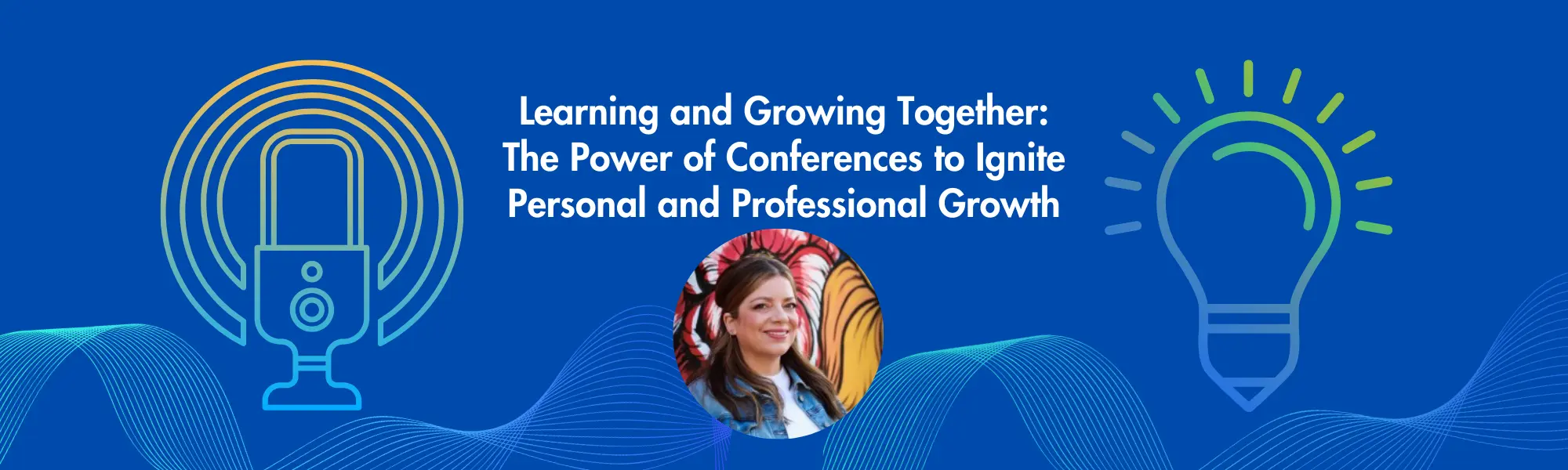
Learning and Growing Together: The Power of Conferences to Ignite Personal and Professional Growth with Christine Feenstra, Executive Director of CUE

What is the current state of EdTech in schools?
How can integrating technology in teaching deliver positive outcomes?

Find out answers to these questions and more on the latest episode of Learning Through Technology.

Join Pacific One Source on their recent podcast episode as they connect with our own Christine Feenstra, Executive Director at CUE.

Insights from the podcast:

  • Discover how CUE plays a crucial role in helping schools and districts get a return on their technology investments.
  • Learn how professional learning, mentorship, and networking opportunities are key in driving educational outcomes.
  • Get ready for Spring CUE and discover how it fuels innovation and drives positive outcomes for educators.

Let Christine, along with hosts Alex and Bob, take you on a journey as they share stories of their favorite teachers and the impact they had on their education.

Thank you to Pacific One Source and ViewSonic for sponsoring the episode and helping to make the podcast possible!

Empowering Inclusive Learning: Bridging the Digital Divide

Addressing the digital design divide is crucial in today’s educational landscape, where integrating technology in learning environments is not just an enhancement but a necessity for equitable access to quality education. According to the National Educational Technology Plan, this divide represents the gap between educational systems that provide educators with the necessary time, resources, and support to effectively design learning experiences using digital tools and those that do not. 1As the architects of learning, teachers need to identify and advocate for their professional learning preferences and needs. By doing so, they can drive the implementation of Universal Design for Learning (UDL) principles in their schools, ensuring that their professional development reflects diverse learning strengths and needs. This approach supports teachers in their instructional design and models the inclusive, adaptive, and personalized learning environments we aim to create for students. 

To bridge this divide, here are proactive steps educators can take within their school communities:

Initiate Conversations

Start discussions with school leadership about the importance of UDL and the benefits of integrating technology in learning designs to support diverse student needs. Here are some prompts to help initiate conversations about the importance of UDL and technological integration with school leadership:

  • I’ve been exploring Universal Design for Learning (UDL) principles and their impact on student learning. Can we discuss how these might be more deeply integrated into our school’s curriculum and teaching practices?
  • Considering our students’ diverse needs, integrating UDL principles with our current technology resources could significantly improve engagement and outcomes. Let’s set aside time to explore this further.
  • We have an opportunity to take the lead in creating an inclusive learning environment through UDL. Would you be open to exploring how we could pilot some of these ideas in our classrooms?
  • To support our goals of inclusivity and high academic achievement, I’d love to propose some ideas for integrating UDL principles with our educational technology. When would be a good time to discuss this?

Share Resources and Success Stories

Distribute articles, research findings, and case studies highlighting the effective use of technology in education and how it supports UDL principles. Here are some resources to get you started. 

Form a Committee or Interest Group

Start by identifying colleagues interested in leveraging technology to enhance teaching and learning. Reach out through email, staff meetings, or informal conversations to gauge interest. Once you have a core group, organize an initial meeting to discuss goals, such as exploring new digital tools, developing UDL-aligned lesson plans, or advocating for school-wide technology initiatives. Establish regular meeting times and use collaborative tools like Google Docs or Microsoft Teams to keep track of ideas, research, and project progress. Consider inviting guest speakers, such as technology integration specialists or educators from other schools, who can share their experiences and insights.

Participate in Pilot Programs

To get involved in pilot programs, watch for opportunities announced by your school district, educational technology companies, or professional education networks. Express your interest to your administration and explain how participating in a pilot program can benefit your classroom and provide valuable insights for the entire school. When testing a new digital tool or teaching method, document the process, including how often you use the tools and for what, student feedback, and academic outcomes. Consider creating a case study or presentation to share with your colleagues and school leadership at the pilot’s conclusion, highlighting the tool’s impact on learners, challenges encountered, and recommendations for broader implementation.

Provide Feedback

Offer constructive feedback on technology use and professional development programs, emphasizing how they could be improved to support UDL. Schedule regular, dedicated sessions where teachers can discuss their experiences with current technology and professional development offerings. This could be a component of a faculty meeting, or a separate meeting focused on evaluating and providing feedback on the tools and training provided by the district. Another option is to use digital platforms like Google Forms to create surveys that teachers can complete anonymously. These can cover various aspects of technology integration and professional development on technology, allowing educators to offer candid feedback and suggestions for improvement. As an example, consider the value of having district-wide data on teacher perception of the following prompts:

  • Do the digital tools provided by the district support creating an inclusive learning environment for all students, including those with disabilities?
  • What challenges have you faced in integrating technology into your lessons?
  • Are there any specific tools or resources that would enhance your teaching but are currently unavailable in our district?
  • Please share specific examples of technology tools or professional development sessions that have positively impacted your teaching.

This feedback can inform decisions on technology purchases, professional development offerings, and strategies to foster a more collaborative and inclusive educational environment. This can also be done on a large scale using surveys like the Project Tomorrow Speak Up Survey – which CUE has partnered with to learn more about the views of educators on the most critical education issues of the day.

Collaborate with IT Staff

Work closely with your school’s IT department to understand the capabilities and limitations of current technology resources, explore potential upgrades or acquisitions, and advocate for professional development opportunities focusing on digital literacy and educational technology tools. Educators looking to collaborate effectively with IT staff can dive into the conversation with targeted questions that bridge the gap between educational needs and technological capabilities. For example:

  • What technology resources are currently available to teachers and students? Note: Asset mapping tools like those developed by Digital Promise, the Tarrant Institute for Innovative Education in Vermont, or You for Youth may be helpful.
  • Based on our district vision and strategic goals, what technology tools or resources are we lacking?
  • What upgrades or acquisitions are being considered, and how do they align with our educational objectives?
  • How do we ensure all technology resources are accessible to students with diverse learning needs?
  • What opportunities are available for teachers to receive training on existing and new technology resources?
  • How can we establish a regular communication channel between educators and the IT department to address ongoing needs and feedback?

Advocate for Accessibility

Tackling digital accessibility is critical to ensuring all students benefit from technology tools. First, start by understanding the basics of web accessibility standards, such as those outlined in the Web Content Accessibility Guidelines (WCAG). This checklist covers a range of needs, from visual and auditory to cognitive and motor, ensuring your digital content is accessible to a diverse student body. The checklist is just the beginning. You can also leverage the power of free online tools designed to assess and improve the accessibility of digital content. Tools like AChecker can scan your digital resources, highlight issues, and offer suggestions to fix them.

Promote a Culture of Continuous Learning

Encourage an environment where educators and students are seen as lifelong learners, always open to exploring new technologies and methodologies. Teachers can use and advocate for strategies that embrace the principles of universal design for learning (UDL) to foster a culture of continuous learning within a school, especially through faculty meetings and Professional Learning Communities (PLCs). Consider the following:

  • Advocate for implementing instructional rounds within PLCs, where teachers observe each other’s classes to gain insights and inspiration. 
  • Introduce Pineapple Charts in common areas, such as the staff room, where teachers can invite colleagues to observe innovative practices or new tools being used in their classrooms. 
  • Work with admin to see if it’s possible to dedicate time for teachers in each faculty meeting to demonstrate new educational tools or technologies they have found effective. 
  • Organize informal meet-ups where teachers can share tips, tools, and strategies they’ve found effective in incorporating technology into their teaching. Encourage participation from teachers across different subjects and grade levels. Diverse perspectives can unveil unique technology applications and promote cross-curricular ideas. As you continue to meet, keep records of shared strategies, tools, and resources from each session for those who couldn’t attend or wish to review. Consider creating a shared digital space (e.g., a Google Drive folder or a shared LMS course) where these insights can be accessed anytime.

By incorporating these practices, educators can play a pivotal role in closing the digital design divide, leading to more inclusive, engaging, and effective learning environments for all students.

To elevate your instructional practices and effectively champion your professional growth needs, consider embracing a strategy inspired by the National Educational Technology Plan: craft your own “Portrait of an Educator.” This proactive approach empowers you to articulate your goals, learning preferences, technological proficiencies, and the support structures that best facilitate your success.

In our journey to refine educational experiences, we must acknowledge the diversity of all learners, including educators. By delving into your unique learner profile and asserting your specific needs, you challenge school and district leaders to adapt and innovate to bolster educator support. This initiative is a practical application of Universal Design for Learning (UDL) principles and enlightens our collective understanding of the dynamic needs within modern classrooms. Such an endeavor ensures that no student, particularly those facing the greatest challenges, is overlooked or underserved.

Imagine the transformative potential when educators feel fully equipped and supported in their professional development. This catalyzes personal and professional growth and mirrors the inclusive, adaptive learning environments we aspire to create for our students. Let this vision guide you in advocating for technological tools and a comprehensive framework that acknowledges and addresses the wide spectrum of learning needs across our educational communities. Together, we can redefine what it means to be a learner and an educator in the digital age, ensuring that every member of our educational ecosystem is empowered to thrive.
  1. U.S. Department of Education, Office of Educational Technology. (2016). Reimagining the role of technology in education: 2016 National Educational Technology Plan. [PDF file]. https://tech.ed.gov/files/2015/12/NETP16.pdf ↩︎

Breaking Barriers: The Impact of ADA’s New Digital Accessibility Rules on Education

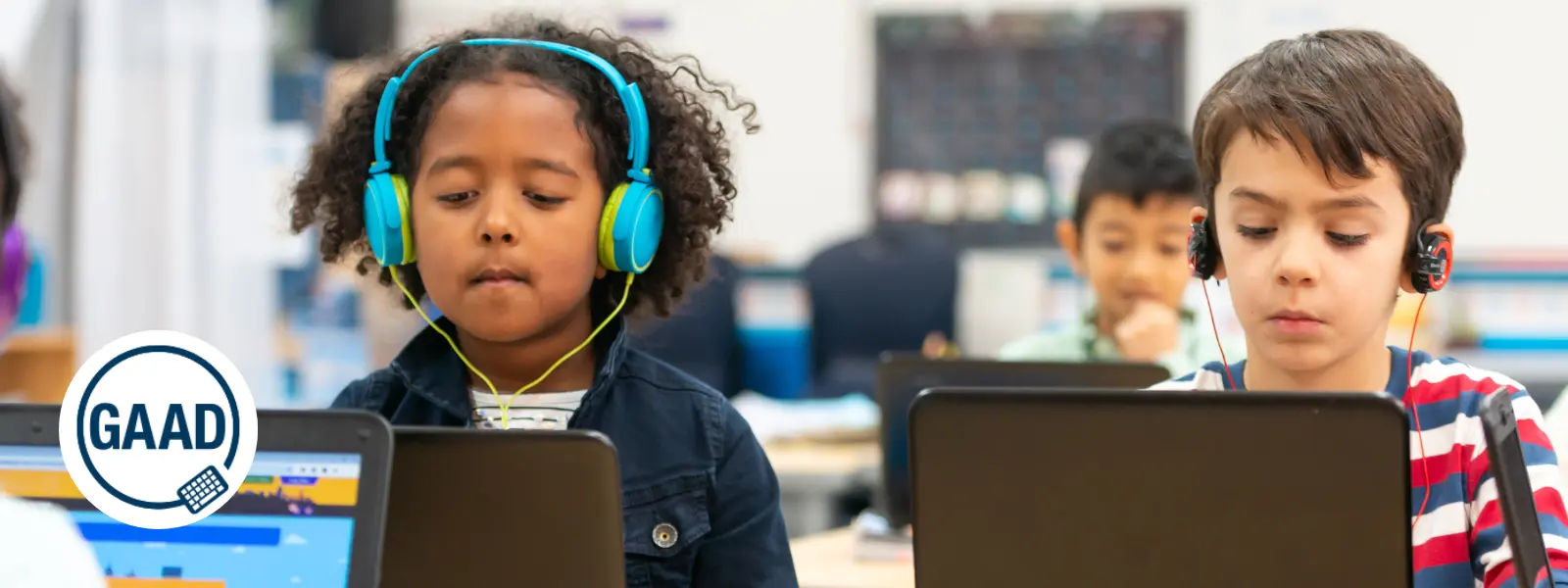
This week marks the 13th annual Global Accessibility Awareness Day (GAAD) which sets out to “get everyone talking, thinking, and learning about digital access/inclusion and people with different disabilities.” (GAAD, 2024) Let’s take a moment to think about why digital accessibility in education really matters. We can use this as an opportunity to ensure that all learners, especially those with disabilities, have equitable access to educational technologies.

This year, GAAD coincides with a pivotal update from the U.S. Department of Justice concerning digital accessibility. A new rule under Title II of the Americans with Disabilities Act (ADA) mandates that all state and local government services, including public education systems, adhere to the Web Content Accessibility Guidelines (WCAG) 2.1, Level AA. (Check out this resource which offers an overview of the WCAG 2.1 AA Standards.) For us educators, this rule is a game changer. It delineates clear compliance standards for digital content and mobile applications used in our classrooms. Whether it’s online coursework, educational apps, or instructional videos, these resources must be fully accessible to all students, including those with visual, hearing, motor, or cognitive impairments.

What does this mean for our daily teaching practices? 

We must ensure that digital materials—like texts and multimedia—are designed with features like alt text for images, keyboard navigation capabilities, and captioning for videos. These are not just legal requirements; they are best practices that enhance learning for everyone. The rule specifies compliance timelines based on the size of the entity, giving schools a structured timeframe to make necessary updates. 

This is our call to action to audit and enhance our educational tools and platforms.

Let’s view these new ADA requirements not just as a statutory obligation but as an opportunity to foster an inclusive learning environment. By prioritizing accessibility, we not only support our students with disabilities but also enrich our educational practices, making learning more engaging and effective for every student. As we move forward together, let’s pledge to meet these standards, celebrating them as foundational to educational equity. Together, we can make our digital educational spaces accessible for all, paving the way for a more inclusive future in education.

Top 5 Education Research Podcasts

Here are 5 educator podcasters who are also engaged in research or feature current researchers. These podcasts provide valuable insights into current educational research and its practical applications for educators.

1.  The Learning Scientists Podcast

This podcast focuses on evidence-based practice in education. Hosted by cognitive psychologists, it covers topics like learning theories and effective teaching strategies.

2. The Education Gadfly Show (Fordham Institute)

Discussions of recent education news, usually featuring Fordham’s Mike Petrilli and David Griffith. Then Amber Northern will recap a recent research study.

3. Meet the Education Researcher (Monash University)

Emerging issues and the latest ideas from across the world of education research. This is a monthly podcast that covers innovative research that will certainly expand your thinking.

4. Naylor’s Natter (Phil Naylor)

Phil Naylor’s podcast focuses on evidenced based teaching and features discussions with educators and researchers about the latest developments in teaching and learning. His episodes often highlight current research and its implications for classroom practice.

5. Truth for Teachers Podcast (Angela Watson)

Angela Watson provides actionable advice for teachers, often drawing from educational research to support her tips on classroom management, productivity, and teacher wellbeing.

Leading the AI Charge: Community Colleges and K-12 Schools Set to Shine

In a recent press release from the US Senate Committee on Commerce, Science, and Transportation, U.S. Senators Maria Cantwell (D-Wash.) and Jerry Moran (R-Kan.) introduced the NSF AI Education Act of 2024, and it’s set to transform AI education across the nation. This bipartisan bill is packed with incredible opportunities for K-16 educators, and here’s why you should be pumped about it.

EXPANDING SCHOLARSHIPS AND PROFESSIONAL DEVELOPMENT

First off, this legislation is all about expanding access to scholarships and professional development in AI and quantum studies, thanks to the National Science Foundation (NSF). Imagine our students diving deep into the world of AI with undergraduate and graduate scholarships, or our colleagues upskilling through fellowships and hands-on learning experiences. This is particularly game-changing for those of us working in rural areas, community colleges, and underserved communities, ensuring everyone gets a fair shot at AI education.

MANDATORY INTEGRATION OF AI SKILLS INTO K12 CURRICULUM

For our K-12 teachers, the bill mandates the creation of comprehensive guidance to weave AI skills into our classrooms. We’re talking about top-notch teaching tools and publicly available resources focused on reaching low-income, rural, and tribal students. This means we’ll have the support we need to prepare our students for the fast-growing AI job market, making sure no one gets left behind.

AI EDUCATION & RESEARCH HUBS AT COMMUNITY COLLEGES

The bill plans to establish at least five “Centers of AI Excellence” across the country. These hubs will focus on AI education and research, promoting best practices and spreading knowledge far and wide. For those of us in California, which boasts a wealth of community colleges, this is a golden opportunity to lead the charge in AI education and innovation.

AI RESEARCH GRANTS FOR INNOVATIONS IN AGRICULTURE

And let’s not forget our friends in the agricultural sector. The bill authorizes grants for AI research and training through Land-Grant Universities and the Cooperative Extension Service. This is about equipping our farmers with cutting-edge AI tools to boost crop production, showing that AI’s impact reaches every corner of our lives.

Senator Cantwell stresses the urgency of preparing for tomorrow’s tech jobs today, highlighting the booming demand for AI expertise. Senator Moran echoes this, emphasizing the critical need to invest in STEM education to stay competitive globally. This bill builds on Cantwell’s previous initiatives like the Future of AI Innovation Act and the CHIPS and Science Act, reinforcing her commitment to keeping the U.S. at the forefront of AI and emerging technologies.

For all educators, the NSF AI Education Act of 2024 is a beacon of innovation. It’s not just about enhancing AI education; it’s about empowering us to inspire and equip the next generation of tech leaders. So let’s get ready to embrace these new opportunities, engage with these legislative developments, and continue to drive innovation in our classrooms. The future is bright, and it’s ours to shape!